How you opt in to texts
Bruno only texts people who have agreed to it. There are two ways to opt in.
Renters: by texting Bruno first
Renters start the conversation by texting Bruno's number, (929) 334-4027, which is shown on our home page with this disclosure:
"By texting Bruno, you agree to receive text messages from Bruno about your apartment search, including matches, tour scheduling, and reminders. Message frequency varies. Message and data rates may apply. Reply HELP for help, STOP to opt out." (with links to our SMS Terms and Privacy Policy)
Bruno's first reply confirms the program:
"Hey! I'm Bruno, an AI assistant for finding NYC apartments. Stop chasing apartments, let them come to you: I'll text you places that fit and set up the tours. Msg frequency varies. Msg & data rates may apply. Reply HELP for help, STOP to opt out."
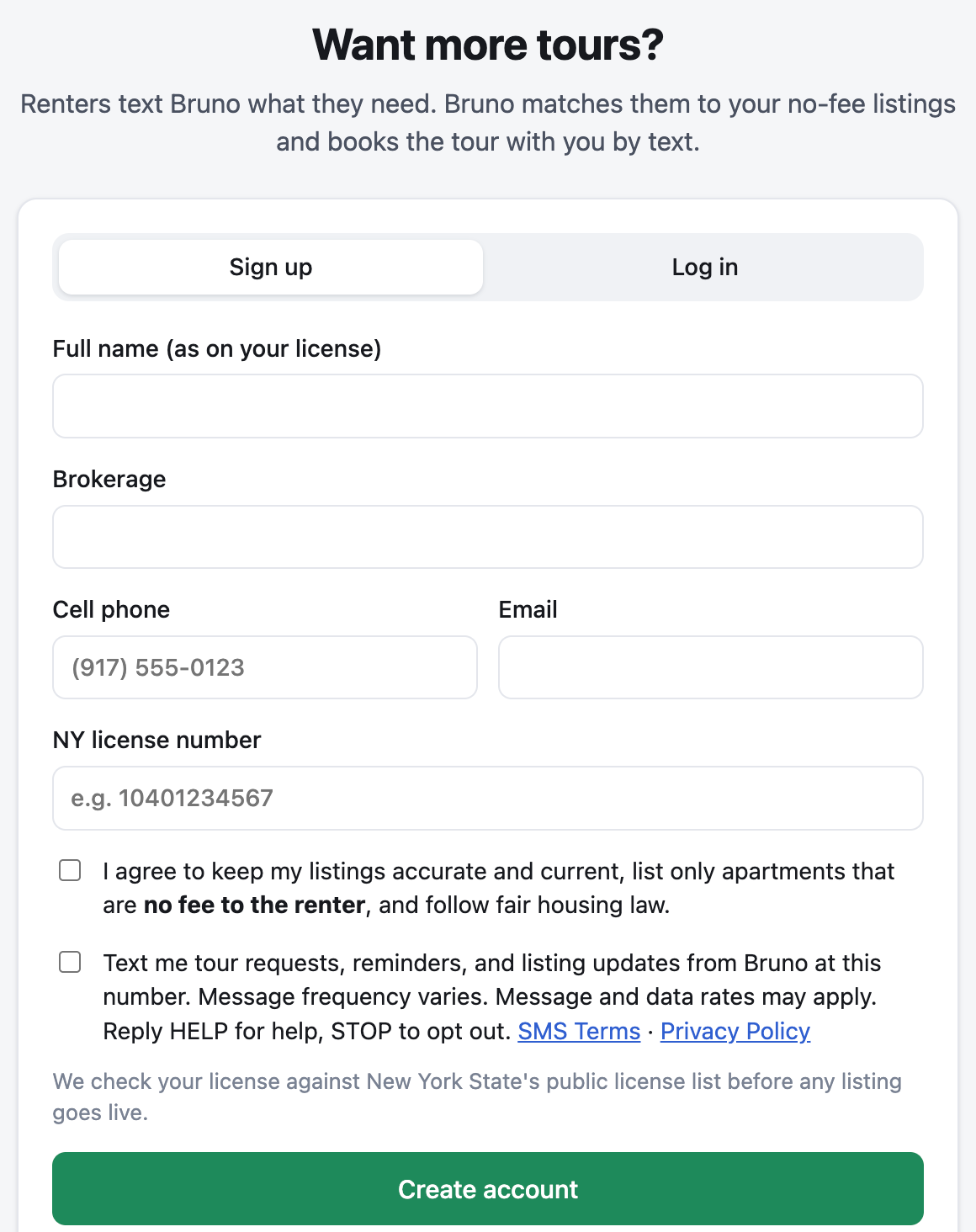
Real estate agents: on the agent sign-up form
Licensed agents opt in when they create an agent account by checking a separate box, which is not checked by default and is not part of the terms checkbox:
"Text me tour requests, reminders, and listing updates from Bruno at this number. Message frequency varies. Message and data rates may apply. Reply HELP for help, STOP to opt out." (with links to our SMS Terms and Privacy Policy)
Screenshot of the agent sign-up form:
Opting out
Anyone can reply STOP at any time to stop all messages, or HELP for help. See our SMS Terms and Privacy Policy.